

Your department may require you to successfully earn a certification or pass a test to be reimbursed for your out-of-pocket purchase. According to specific IRS rules for business expenses, the reimbursement submission window does not start until the date you meet this requirement. You have 60 days from that date to submit your reimbursement request and avoid being taxed on the reimbursement.
This guide supplements the Out of Pocket Reimbursement guide and highlights what you need to do differently for these types of reimbursements. Follow steps 1 through 5 in the Submit an Out of Pocket Reimbursement guide, then follow the instructions on this page.
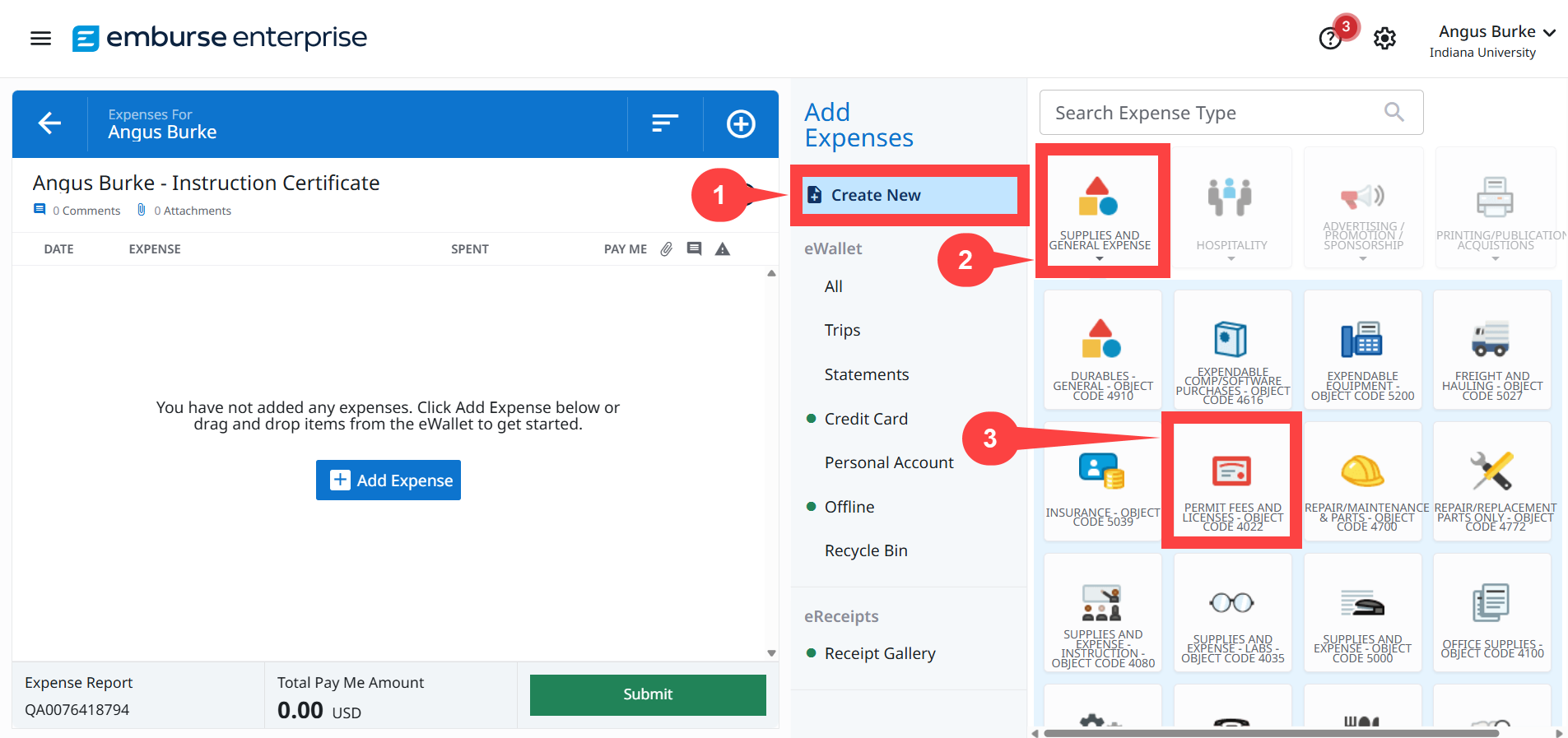
Step 1: On the Expense Report page, click Create New.
Step 2: Select the Supplies and General Expense drawer.
Step 3: Select the Permit Fees and Licenses – Object Code 4022 expense tile.
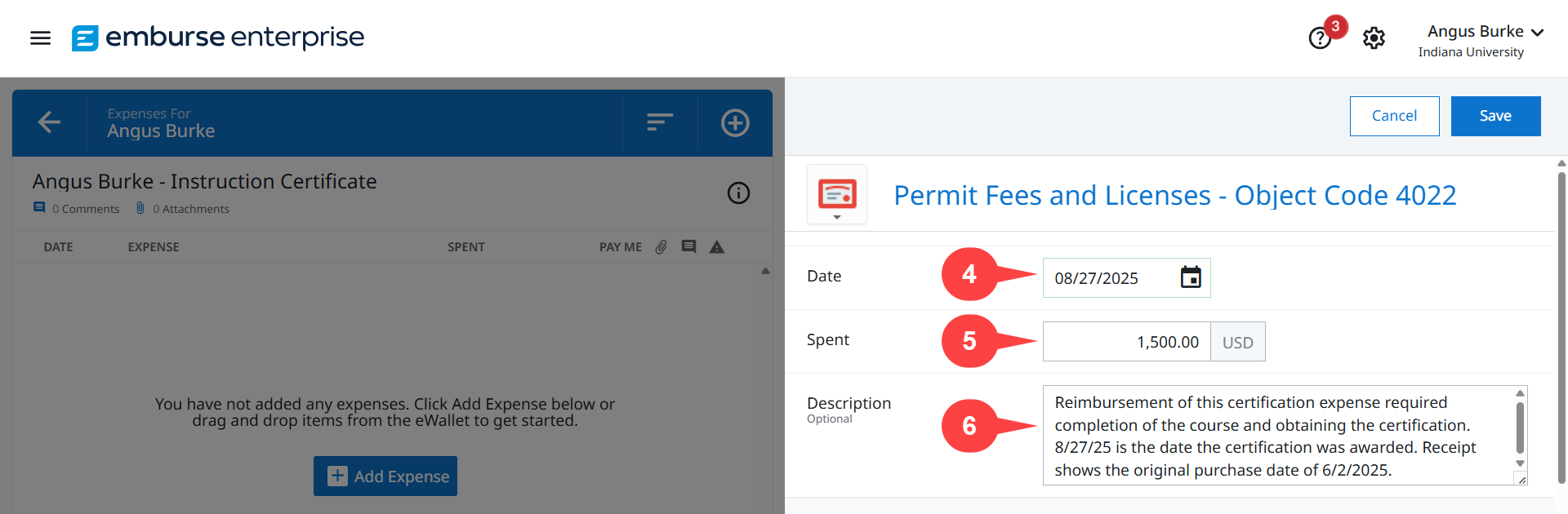
Step 4: A new pane opens. In the Date field, enter the date the certification was granted or the date you passed the test – whatever date the requirement was met for you to be reimbursed.
Step 5: In the Spent field, enter the total amount spent. The amount you are owed.
Note on sales tax: Sales tax may not be reimbursable. Consult your Fiscal Officer (FO) to confirm if you can be reimbursed for sales tax. If it is not reimbursable, reduce the number in the Spent field by the amount of the sale tax paid.
Step 6: In the Description field, explain why the date on the receipt does not match the date you entered in the Date field.
In this example, we entered the following in the Justification field:
Reimbursement of this certification expense required completion of the course and obtaining the certification. 8/27/25 is the date the certification was awarded. Receipt shows the original purchase date of 6/2/25.
Return to the Submit an Out of Pocket Reimbursement guide and complete steps 13 through 19 to submit the reimbursement. Be sure to attach proof of certification along with the receipt of the purchase.